Hello Shop Owners, Sunil Patel, Co-Founder of Tekmetric here. I’m writing this blog because I believe it’s both an honor and a duty to be a leader in business. Recently, I was awarded by Houston Business Journal as a Most Admired CEO of 2020, and this got me thinking about the leadership principles that have helped me along the way and made Tekmetric what it is today.
Not only do I lead a team of great talent, but I also speak with and have the pleasure of doing business with many strong leaders, whether it be shop owners, other entrepreneurs, or even other leaders within the company.
The fact of the matter is that I wouldn’t have been able to build a robust shop management software without my team. Watching them succeed and set each other up for success is hands down the most rewarding part of my job. It’s a privilege to work with talented and innovative individuals that make me proud each and every day. Playing a part in helping them grow and flourish makes me feel like I have served a purpose larger than simply building a product or making money.
Inspired by the HBJ honor, I took the time to sit down and outline a few of the leadership principles that I have always relied on. They focus on listening, learning, and recognizing everyone as an individual. I hope they help you and your team grow as people and as a unit.
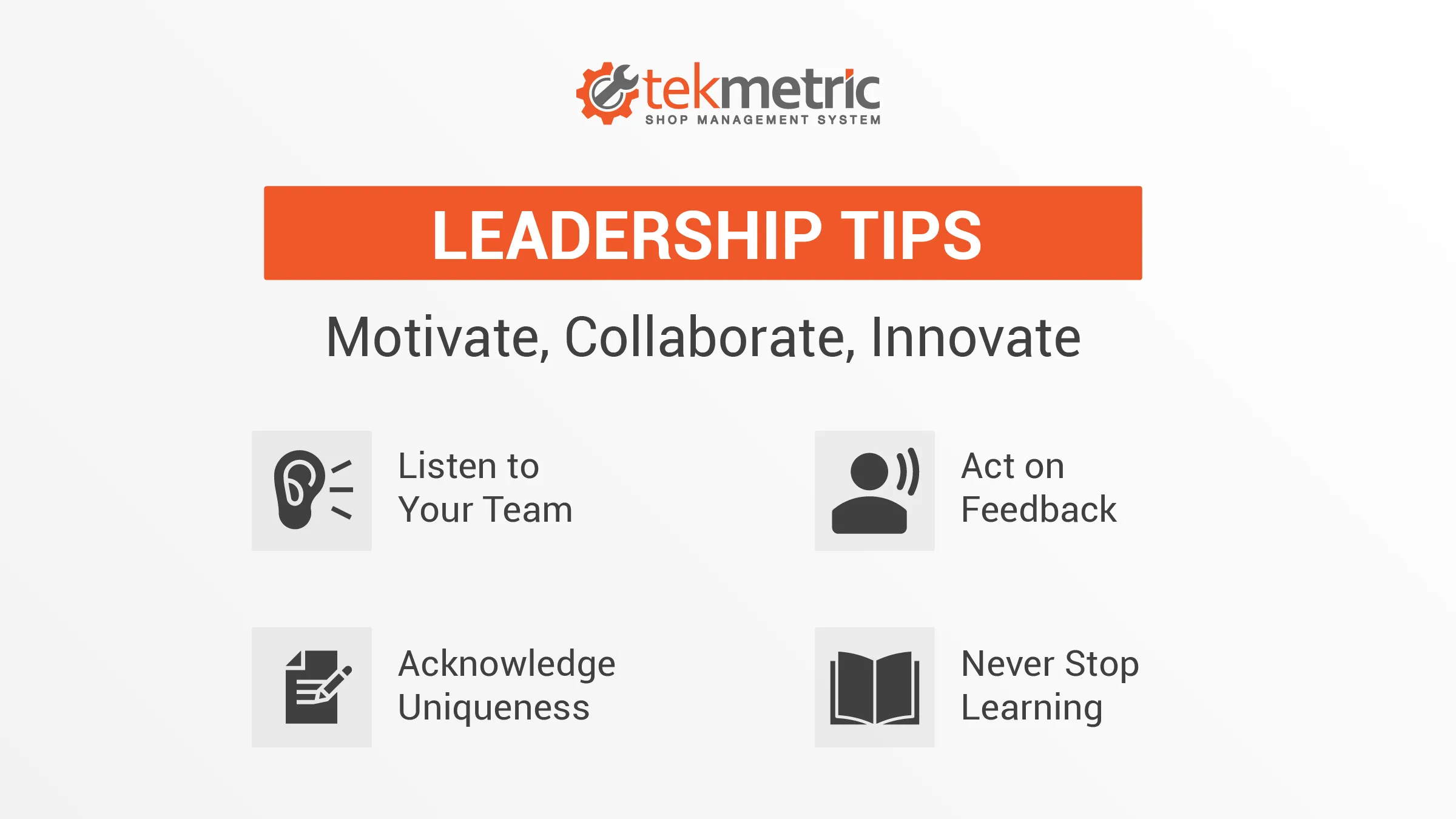
1. Listen to Your Team
Good leadership relies on a strong feedback process. Listen to your team, whether it’s an idea or how they’re feeling so that they know you care not only about their contributions but also about them as people.
Once a week, I sit down with the leaders of different departments and simply listen to how things are going. What are the current challenges they’re facing? What are some successes they’re proud of? What do they feel they could use more support with? Giving them the room to voice their concerns, their desires, and their victories provide them with a model for being the best leader they can for the people they lead. Even when we’re hiring new team members, we like to get input from our current team to make sure we’re considering all voices in the process.
No idea is a bad idea. Even the ideas that you never end up using still have value because they can spark other ideas, show your team a new perspective, or simply show the person who voiced them that they were included as part of the team or project.
2. Act on Feedback
Internal feedback is important, too. That’s how I came up with Tekmetric. When I owned and operated an auto repair shop, I realized that there was no easy way to check on things when I was away on vacation or at a conference. I either had to call someone and ask them to read me the numbers or use a VPN and brute force my way into my own system. I thought, “This should be easier.”
I took note of those challenges, then asked myself how I might be able to solve them. I began developing a cloud-based shop management solution that could be accessible from anywhere. My business partner Prasanth and I were able to develop a system that worked, but I realized I could keep innovating and make it better with feedback from other shop owners.
3. Acknowledge Individual Uniqueness
When you have a growing team, you start to notice the different strengths and tendencies of the people you work with. Sometimes you have people who are capable of filling a whole marker board with ideas in a short amount of time. Other people are much more measured and reserved, but when they say something aloud, you better listen, because they have powerful insights. Your technicians know how to get to the heart of what’s going on with the vehicle, but one technician might do it a little differently than the next. Your service advisors all know how to make sure guests are getting what they need, but the little differences in how they operate are all worth observing and learning from. Everyone has their strengths and understanding what each person’s strengths make it easier to maximize their performance in their roles.
Even when we’ve implemented Tekmetric at large companies with hundreds of shops, drawing from the strengths of different players has been invaluable. Corporate executive leaders have a macro-view of how things work that’s critical to our success, but equally critical are the perspectives of our own team members and individual franchise shop owners. The people in the shop every day are the ones who make sure we don’t miss details, and that our system and all the systems it interacts with work for them as they serve their guests. Input from everyone makes for a simple and easy switch.
No matter how someone thinks or expresses what they’re thinking, there’s something to be gained from every team member as long as you have an environment where everyone is respected and you have implemented a healthy feedback process.
4. Never Stop Learning
Feedback is on an ongoing process that never ends and always seeks more refinement. Listening to ourselves, our team, and other shop owners continues to be crucial to ensuring that my business keeps innovating products that can outcompete similar products on the market and help shop owners scale up, be more profitable, and help as many people as possible.
These are just a few principles that we use, but I always encourage leaders to keep adding to and adjusting their mindset because we’re always going to run into new challenges.
The most important features in auto repair shop management software are the ones that connect your business end-to-end: repair orders and estimates, digital vehicle inspections, parts ordering and inventory, integrated payments, and real-time reporting. If a system does those five things well, and keeps them in one place instead of five, it will vastly improve how your shop runs.
The hard part isn't finding software with a long feature list. It's telling the difference between features that move the needle in your bays and features that just look good in a sales demo. This guide breaks down the categories that matter, what each one actually does for your shop, and what to look for when you compare options.
1. Repair Orders and Estimates That Flow Together
What it is: The digital repair order (RO) is the backbone of the shop management system. Estimates should build fast — pulling in labor times and parts — and flow directly into the RO without rekeying anything.
Why it matters: This is where most of your team's wasted time hides. When an estimate becomes an RO in one click, and job templates drop in common parts and labor automatically, a service advisor can build a ticket in a fraction of the time. Over a full day of ROs, that adds up.
What to look for: Pre-built job templates, labor guide integration, and a clean estimate-to-authorization path. In Tekmetric, Smart Jobs allow advisers to build ROs from templates with parts and labor already attached, and estimates flow straight into the repair order.

Why it matters: Customers approve work they can see. A photo of a worn brake pad does more to earn trust — and a yes — than a line item on a paper estimate. That trust is what lifts approval rates and average repair order value, and it's why DVIs are one of the few features worth treating as non-negotiable.
What to look for: Photo and video capture, quick send-to-customer, and digital authorization built into the same flow. Tekmetric shops have reported meaningful ARO gains from strong DVI use, with ARO value rising from a $612 baseline to $741 for shops that use DVIs consistently.
3. Parts Ordering and Inventory
What it is: Parts management covers two things: knowing what's on your shelf, and ordering what isn't — ideally without leaving the repair order.
Why it matters: Parts are where margin quietly leaks out of a shop. Wrong parts, duplicate orders, and time lost bouncing among supplier tabs all cost money. When ordering is built into the RO and inventory updates as parts are used, your team stays in one screen and your margins stay protected.
What to look for: Integrated ordering through the supplier networks you already use, real-time stock visibility, and a parts matrix to keep pricing consistent. Tekmetric connects to parts suppliers so technicians can order parts as they diagnose issues.
4. Integrated Payments
What it is: Payments that live inside the shop management system, so checkout, reconciliation, and reporting all run off the same data.
Why it matters: A faster checkout is a better customer experience, and integrated payments mean you're not hand-matching a separate processor's statements at the end of the day. Options like text-to-pay and financing also help customers say yes to bigger jobs.
What to look for: Card and digital wallet acceptance, Text-to-Pay, built-in reconciliation, and financing options — all reporting into one place. In Tekmetric, payments are a built-in add-on rather than bolted on. There is no separate terminal, no third-party login, and no support ticket when something does not sync. Refunds, disputes, and deposits are handled in the same platform shops use to run repair orders.
Tekmetric customers have access to all of this: Buy Now, Pay Later partners like Affirm, Klarna, and Sunbit make bigger repairs affordable for customers, and shops offering flexible consumer financing can increase average repair order value by up to three times. Add same-day setup, next-day funding, and fraud protection through Stripe Radar, and payments stop being a separate system to manage. They become one more step in a workflow shops already know.
5. Real-Time Reporting
What it is: Live visibility into the numbers that tell you how the shop is running — average repair order, car count, gross profit, technician productivity — without waiting for month-end.
Why it matters: You can't fix what you can't see. Real-time reporting is what turns a platform from a digital filing cabinet into a tool you actually run the business with. It's also the feature owners underrate at buying time and rely on most six months in.
What to look for: Key metrics on a dashboard, the ability to drill into a technician or a location, and reporting you can trust without exporting to a spreadsheet. Tekmetric surfaces these metrics in real time from the shop counter or from home.
The Features That Tie It All Together
Cloud-based access and a real mobile app
If the platform only lives on the computer at the front counter, half its value is stuck there. Cloud-based access means you can check the shop from home, and a real mobile app keeps technicians moving without walking back and forth to a terminal.
Integrations with the tools you already use
No platform does everything, so the ones that connect cleanly to accounting, parts suppliers, and marketing tools win. Tekmetric offers more than 70 integrations so you can build the workflow around your shop instead of the other way around.
How to Evaluate an Auto Repair Platform
A quick lens when you're comparing options:
Is it connected? The point of a platform is that repair orders, parts, payments, and reporting talk to each other.
Will your team actually use it? The best feature set loses to the one your advisors and technicians will adopt in a week, not a quarter.
Does it show you the numbers? If you can't see ARO, car count, and gross profit in real time, you're flying blind.
Can it grow with you? Your platform should grow with your business, especially for multi-shop operators.
Get those four right and the feature checklist mostly takes care of itself. The categories above — repair orders, DVI, parts and inventory, payments, and reporting — are the ones that decide whether your shop runs faster and more profitably or just runs the same way with a nicer screen.
The answer to that question depends on a number of factors, and getting the right categorization for each part is crucial for maintaining healthy profit margins while minimizing the risk of rush orders and frustrated customers.
Inventory and Stock Management to Minimize Complexity
When you and your team are replacing parts during repairs, it’s important to consider what parts you have on hand versus what parts you’ll need to order.
If you don’t, you risk overstocking and sinking money into too many units of a particular type of part, or understocking and making a customer wait while you hope that the expedited shipping for a part pulls through.
By having the right inventory and stock management processes in place, you can make it easier for your service advisors and technicians to avoid frustrations.
Here are some best practices for inventory and stock management at your auto repair shop.
In today's digital world, relying solely on word-of-mouth is like trying to change a tire with a pair of pliers—it’s inefficient and frustrating. You need a modern tool, a solution designed to attract new customers to your shop. That tool is Google Ads, a Pay-Per-Click (PPC) advertising platform allowing you to target new customers when they need you most.
If you've heard the term but aren't sure how it fits into your business plan, you're in the right place. This comprehensive guide will break down everything you need to know about Google Ads for your auto repair business.
What are Google Ads (PPC)?
At its core, Google Ads is a Pay-Per-Click, or PPC, platform where advertisers pay a fee each time one of their ads is clicked. Think of it as renting a prime piece of real estate on the first page of a search engine like Google or Bing. Instead of trying to earn those top spots organically through Search Engine Optimization (SEO), which can take months or even years, you're essentially paying to jump the line.
Types of Google Ad Campaigns
Search campaigns
Paid search ads are the most common type of Google Ad campaign, allowing auto repair shops to target based on keywords. Shops can find new customers by bidding on keywords like “Oil change near me” or “Transmission shop Denver, Colorado.” This campaign type is effective because you can target local customers at the moment they are searching for help.
Display campaigns
Display PPC campaigns are another effective campaign type that shops can use to target customers with more creative ads. Display ads offer a visual component that could be a static image or a short video. Display ads can show across a wider audience and are not confined to just Google search.
Retargeting campaigns
Retargeting campaigns are exactly what they sound like. Mechanic shops can target prospects who have visited their website with ads that can display on other websites. For example, a customer could have visited your website (YourShop.com) and then bounced to Forbes.com. You can then show an ad on Forbes.com (and other websites) as they browse the web, so your shop can stay top of mind.
Video campaigns
Video campaigns are mainly used by auto repair shops to target customers on YouTube. You can target automotive DIY videos where users may run into issues and look for a shop instead.
How to set up your first Google Ad campaign
Open a Google Ads account (if you haven’t already). Fill out your business information and attach your payment method. This is also a good time to delegate account access to other employees if needed.
Start your keyword research. Identify the search terms your potential customers are typing into Google when they need help (e.g., “brake repair near me,” “check engine light diagnostics,” “mechanic in Houston”). If you need help finding the right keywords, you can start by asking the next customer who walks in your door, “How did you hear about us?”.
Finalize your budget and bidding. Set the maximum amount you're willing to pay for a single click on your ad. This bid, combined with the quality and relevance of your ad, determines your ad's ranking position.
Find your audience. Select which geographical areas you want to target with your ads. Most shops select a radius around their physical location to ensure they are targeting customers nearby.
Add extensions. Extensions show up beneath your ad and can include your phone number or service-specific pages of your website. Extensions help you take up more room on Google and increase your chances of attracting a click.
Publish. Once you publish your ads, your ads will go through an approval process and either go live or be rejected. You can always make edits and resubmit your ads if they are initially rejected.
Monitor and analyze. Once your ads are running, you will be able to see clicks, impressions, cost, and other data in the Google Ads platform. You can even set up conversions and UTM tracking to see how many new customers are scheduling online appointments with your shop.
Should Mechanic shops use Google Ads?
The short answer is an emphatic yes. While many forms of marketing cast a wide net, hoping to catch a few fish, PPC marketing is like using a high-tech fish finder. For an auto repair shop, the "when" is just as important as the "who," and Google Ads excel at connecting you with customers at the moment of their highest intent.
Consider the mindset of a person who needs auto repair services. Their car is making a strange noise, a warning light is on, or worse, they're stranded on the side of the road. They aren't casually browsing; they have an urgent, specific problem that needs an immediate solution. What do they do? They pull out their phone and perform a Google search for a local mechanic.
This is where auto repair PPC shines. It allows your auto repair shop to appear at the very top of the results for those high-intent searches. You're not interrupting their day with an ad they don't care about; you are providing the exact solution they are actively looking for. This makes Google Ads one of the most effective marketing efforts for service businesses, especially in the emergency-driven auto repair industry. It levels the playing field, allowing dedicated local shops to gain immediate online visibility and compete effectively against large national chains.
Tek-Tip: Don't have enough time to run marketing campaigns? Learn more about Tekmetric Marketing, featuring online appointment booking, SEO-optimized websites, and automated review management.
Benefits of PPC Marketing for Auto Repair Shops
Integrating a well-managed PPC advertising campaign into your marketing strategy can deliver a host of powerful benefits that translate directly into more customers and higher revenue.
Immediate Traffic: Unlike email marketing or social media, a PPC campaign can start to drive traffic and generate phone calls almost overnight. Once your ad campaigns are approved, your shop can be visible to potential customers within hours, which is crucial when you have empty bays to fill.
Precise Targeting: PPC platforms offer incredibly granular targeting options. You can show your ads to people based on:
Location: Target users within a specific mile radius of your shop, in certain zip codes, or in an entire city. This ensures you’re not paying for clicks from people who are too far away to become customers.
Keywords: You target the exact automotive services you offer, from a simple oil change to complex engine issues.
Time of Day: Only want to run ads during your business hours to ensure someone is there to answer the phone? You can do that.
Device: You can bid more for mobile users, who are more likely to be in need of immediate help and use click-to-call features.
Budgetary Control: Worried about a runaway budget? With PPC, you're in the driver's seat. You set a maximum daily or monthly ad spend, and you'll never pay more than that amount. You can start small, test the waters, and scale your investment up or down based on your return on investment.
Measurable Results: This is a major advantage over traditional advertising. Every aspect of your PPC campaigns can be tracked. You can see exactly how many people saw your ad, how many clicked it, and how many of those clicks resulted in a phone call or a contact form submission.
Increased Brand Awareness: Even when users don't click on your ad, seeing your shop's name at the top of the search results builds familiarity and trust. When they see your name repeatedly for different service-related searches, you become a recognized authority in your local area. This boost in brand awareness is a valuable byproduct of a consistent PPC presence.
Effective PPC Strategies for Auto Repair Shops
Launching a campaign is easy; launching a profitable one requires a solid strategy. Simply throwing money at Google Ads without a plan is a quick way to burn through your budget. Here are the essential strategies to ensure your PPC ads deliver results.
Keyword Research
This is the foundation of your entire campaign. You need to get inside the heads of your target audience and think of keywords they would search for. Your keyword research should include:
Service-Specific Keywords: "brake pad replacement," "transmission repair," "car AC service."
"Near Me" Keywords: These are huge for local service businesses. Google often appends "near me" automatically for mobile searchers.
Negative Keywords: Just as important is telling Google what not to show your ads for. Add negative keywords like "jobs," "training," "DIY," "parts," and "free" to avoid paying for irrelevant clicks from job seekers or people looking to do the work themselves.
You should note that each keyword has a different cost per click average depending on location and number of competitors. Bid on keywords that are important for your shop and fit your budget.
Compelling Ad Copy
Your ad copy is your 3-second elevator pitch. It needs to grab attention and persuade the user to click.
Highlight Your Strengths: What makes you different? Mention your ASE-certified technicians, warranties on parts and labor, free loaner cars, 5-star reviews, or your years of experience.
Include a Strong Call-to-Action (CTA): Be direct. Use phrases like "Call Now for a Free Estimate," "Book Your Service Online," or "Get a Quick Quote."
Use Ad Extensions: These are extra snippets of information that make your ad bigger and more useful. Use call extensions to add your phone number for easy click-to-call, and location extensions to show your address and link to Google Maps. Sitelink extensions can direct users to specific service pages on your website.
Optimized Landing Pages
A click is wasted if the user gets to your website and is confused or unimpressed. Your landing pages must be designed to convert visitors into customers.
Relevance is Key: If your ad promises "Brake Repair Services," the landing page should be all about your brake repair services, not your homepage.
Mobile-First Design: The majority of auto repair searches happen on mobile phones. Your page must load fast and be easy to navigate on a small screen.
Clear Contact Information: Your phone number and address should be prominently displayed and clickable.
Build Trust: Feature customer reviews, testimonials, photos of your shop, and logos of any certifications (ASE, AAA Approved, etc.).
Bidding and Campaign Management
Google Ads is not a "set it and forget it" strategy. To truly succeed, you need to actively manage and optimize your campaigns.
Structure Your Campaigns: Create separate PPC campaigns for each major service category (e.g., Brakes, Engine, Transmission, General Maintenance). This allows you to tailor your ads and landing pages for maximum relevance, which Google rewards with a better Quality Score and lower CPC.
Track Everything: Implement conversion tracking to monitor not just clicks, but actual leads—phone calls and form submissions. This is the only way to measure true campaign performance.
Continuously Optimize: Regularly review your metrics. Pause keywords that aren't performing, test new ad copy, and adjust bids to focus your ad spend on what drives the best conversion rates.
How Much Should Automotive Shops Invest in Google Ads?
This is the most common question, and the answer is: it depends. The right budget for your shop is influenced by several factors, including your location's competitiveness, the specific services you're advertising, and your overall growth goals. A shop in rural Nebraska will have a much lower cost per click than one in downtown Los Angeles.
Instead of focusing on a magic number, think about your investment in terms of objectives and ROI. A good starting point for a small to medium-sized auto repair shop might be anywhere from $500 to $2,000 per month. This initial investment allows you to gather enough data to see what works.
The most important metric isn't the upfront price; it's the return on investment. If you spend $1,000 on Google Ads in a month and it brings in five new repair jobs that generate $4,000 in revenue, your marketing efforts have delivered a 4x return. From that perspective, the initial cost is more than justified.
For shops new to this space, partnering with a digital marketing agency that specializes in Google AdWords services can be a wise investment. They have the expertise to avoid common pitfalls, maximize your budget, and accelerate your path to profitability.
Final Thoughts
In a competitive market, standing still means falling behind. Pay-per-click advertising is the fuel your marketing strategy needs to accelerate past the competition. It offers an unparalleled ability to connect with customers at their moment of need, providing immediate, targeted, and measurable results.
By conducting thorough keyword research, crafting compelling ads, building high-converting landing pages, and diligently tracking your campaign performance, you can transform your online presence from a sputtering engine into a finely tuned machine that consistently delivers new customers. It’s time to take control of your lead generation and explore what a well-executed auto repair PPC campaign can do for your shop.

